You have an API to document, an internal tool to explain, or a side project that needs a real home for its README. You don't want to spend a week configuring a build pipeline. You want a clean, searchable, public URL, today.
This guide is the fastest way to ship a documentation site without sacrificing quality. It assumes you want something that looks professional, loads fast, and is easy to update, not a half-finished Notion page you'll be embarrassed to link to.
What "fast" actually means for docs
When people say they want to ship a documentation site quickly, they usually conflate three different things:
- Time to first publish, how long from empty folder to live URL.
- Time to update, how long to publish a typo fix once the site exists.
- Time to maintain, how much ongoing work the stack demands.
The fastest setup optimizes all three. A weekend hack that takes ten minutes to publish but two hours to update is not fast. Pick tools that stay out of your way after launch.
The minimum stack you actually need
For most documentation, the answer is a static site generator plus a host that serves the built output. That's it. No database, no server runtime, no container, no CI pipeline on day one.
A static docs site gives you:
- Instant page loads (HTML and CSS over a CDN).
- Cheap, reliable hosting, nothing to crash at 2am.
- Full-text search via a client-side index.
- Version control through plain Markdown files.
Avoid anything that requires you to run a server, manage a database, or set up authentication just to publish public docs. Those are problems for later.
Choosing a documentation generator
Pick one and start. The differences matter less than the time you'll waste comparing them.
Docusaurus
React-based, made by Meta, used by huge open-source projects. Strong versioning, good search, MDX support. Best when you expect the docs to grow and you're comfortable with the React ecosystem.
MkDocs (with Material theme)
Python-based, configuration is a single YAML file, Markdown only. The Material theme is genuinely excellent out of the box. Best when you want to write content, not tweak components.
VitePress
Vue-based, very fast builds, minimal config. Great for technical docs that don't need heavy customization.
Starlight (Astro)
Newer, built on Astro, ships with excellent defaults including search, dark mode, and i18n. Worth a look if you're starting fresh.
If you cannot decide, use MkDocs Material. You will be writing within thirty minutes.
The 60-minute plan to ship a documentation site
Here is the concrete sequence. Block off an hour.
Minutes 0–10: Scaffold
Install your generator of choice and create a new project. For MkDocs:
pip install mkdocs-material
mkdocs new my-docs
cd my-docs
Run mkdocs serve and confirm you see the default site at localhost:8000.
Minutes 10–25: Write the skeleton
Don't write all the docs. Write the structure. Create the pages you know you need, even if they're stubs:
- Introduction / what this is
- Quickstart / first 5 minutes
- Core concepts
- Reference (API, CLI, or feature list)
- FAQ
Empty pages with one sentence each are fine. You're shipping a frame; content fills in over time.
Minutes 25–40: Brand it lightly
Set the site name, logo, primary color, and footer. Resist the urge to redesign. The default Material theme is better than 95% of custom docs sites built in a hurry.
Edit mkdocs.yml, change the site_name, drop a favicon and logo into docs/assets/, and pick a palette color. Done.
Minutes 40–50: Build
Run the build command. For MkDocs it's mkdocs build, which produces a site/ folder. For Docusaurus it's npm run build, producing build/. For VitePress, npm run docs:build, producing .vitepress/dist/.
This folder is your entire website, pure HTML, CSS, and JavaScript. No server needed.
Minutes 50–60: Deploy
This is where most teams lose hours. Don't.
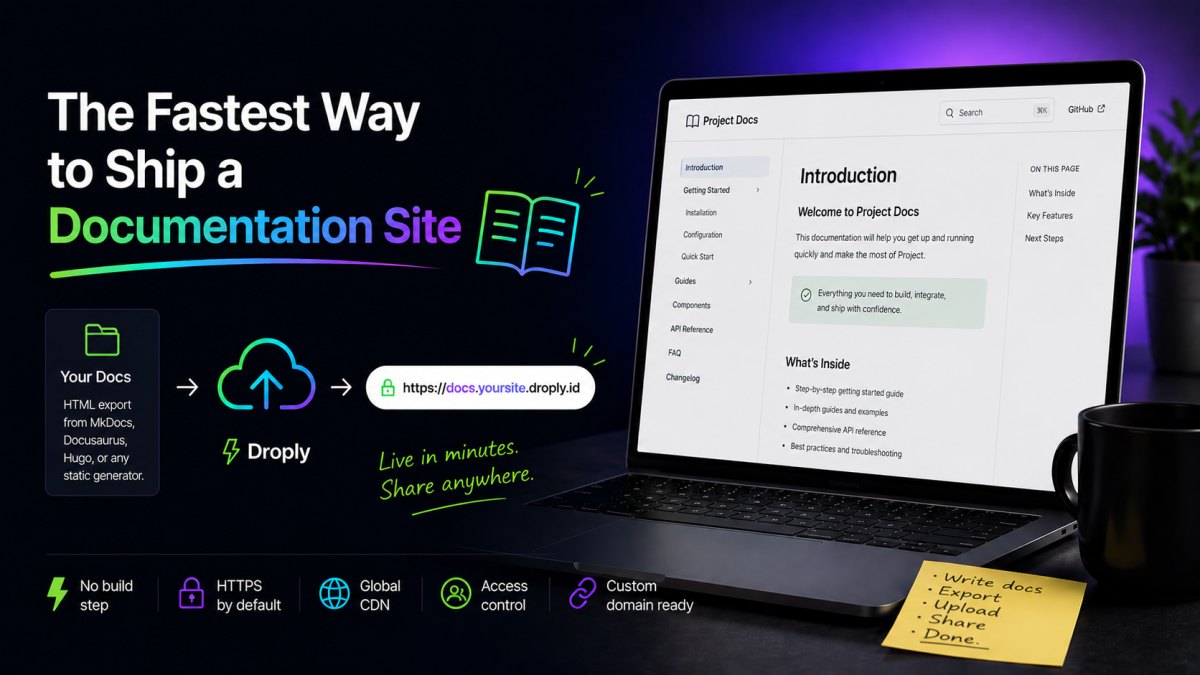
Zip the build output folder, drag it onto a static host, name your site, and copy the URL. With Droply, you drop the ZIP, pick a name, and get an HTTPS URL on <name>.droply.id immediately. No git push, no CI config, no waiting for a build server.
If you'd rather not zip, drop a single index.html instead, useful when you're publishing a one-page reference or a generated PDF.
Updating without breaking anything
Once your docs are live, the workflow for changes is:
- Edit Markdown locally.
- Run the build command.
- Re-upload the output to the same site name.
On Droply, re-uploading replaces the content in place and the URL stays the same, so every link you've shared keeps working. That predictability matters more than people realize. The fastest way to ship a documentation site is also the fastest way to keep it current.
When to add a custom domain
At some point docs.yourcompany.com will matter more than the default subdomain. Custom domains are a paid feature on most static hosts, including Droply, see pricing when you're ready. Until then, the default URL is perfectly fine for launch, internal sharing, and early users.
What about just publishing a PDF?
Sometimes you don't need a full site. You need to share a spec, a design doc, or a one-pager and move on. In that case, skip the generator entirely, upload the PDF directly to a static host and share the link. It will render in the browser, work on mobile, and be indexable.
This is a legitimate first step. Many projects start with a single PDF or a one-page HTML file and graduate to a full docs site once the product stabilizes.
Common mistakes that slow people down
- Premature theming. Hours spent on CSS before any content exists.
- Choosing the most powerful generator instead of the simplest. Docusaurus is excellent, and overkill for a 12-page site.
- Wiring up CI on day one. Build locally, upload manually. Automate after you've shipped twice.
- Authentication for public docs. If it's public, don't gate it.
- Waiting for "complete" content. Ship the skeleton. Empty pages with titles are a roadmap; missing pages are invisible.
Ship first, polish second
The fastest way to ship a documentation site is to accept that the first version will be incomplete. Get a real URL on the internet today. Share it with one person tomorrow. Improve it the day after.
Pick a generator in the next ten minutes. Build the skeleton in the next hour. Drag the output onto a static host and copy the URL. That's the entire path, everything else is optimization.