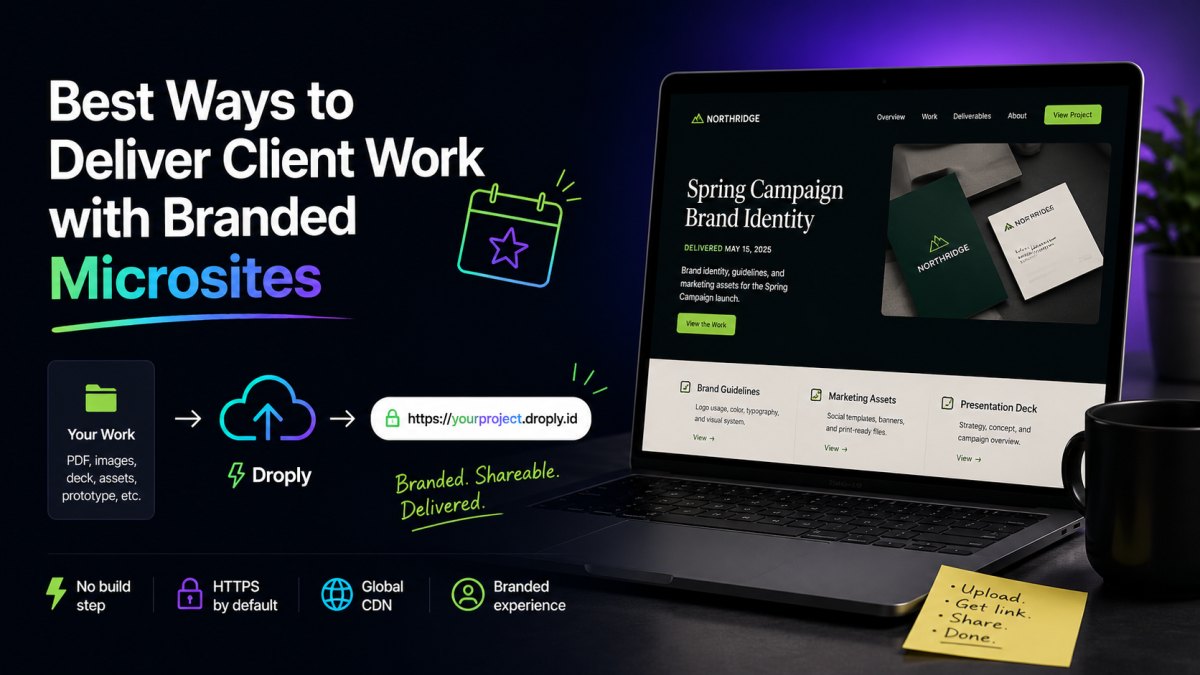
Sending a client a 14MB PDF over email, or a Dropbox link to a folder of mixed assets, is a fast way to look like a vendor. Sending them a clean URL at a branded address, one that opens instantly, looks designed, and works on any device, is how you look like a partner.
That is the case for the branded microsite as a delivery format. Whether you are handing off a brand identity, a research deck, a UX prototype, or a finished marketing site, a small dedicated web page is usually a better container than a file. This guide covers the practical patterns that work.
Why microsites beat PDFs and shared folders
A microsite is just a small, focused web page (or handful of pages) that wraps your deliverable in context. Compared to a raw file, it has real advantages:
- It loads instantly. No download, no "open with…", no zoom-to-fit on mobile.
- It is updatable. Fix a typo and the link stays the same.
- It is presentable. Your branding sets the tone before the client reads a word.
- It is shareable. Stakeholders forward a URL, not a 40MB attachment.
- It is trackable. With light analytics you can tell who opened what and when.
The trick is making microsites cheap and fast enough to produce that you use them for everything, not just the big projects.
Six high-leverage delivery formats
Here are the deliverable types where a microsite consistently outperforms the default.
1. Brand and identity handoffs
Instead of a ZIP with logo variants and a brand PDF, build a one-page brand site. Include the logo lockups with download links, the color palette with hex values, type specimens, voice guidelines, and a "do not" section with examples. Clients reference it for years, and new vendors they hire can be pointed to one URL.
2. Research and strategy decks
A long-form strategy document loses most of its impact in a PDF reader. A microsite lets you control pacing: an executive summary at the top, expandable sections, embedded examples, and a clear next-step CTA at the bottom. You can still link the PDF for clients who want to print it.
3. UX prototypes and design reviews
Static exports from Figma, Framer, or your design tool of choice can be hosted as a clickable prototype with a password-protected feel via an unguessable URL. Add a sidebar with project context, version notes, and your contact information. Reviewers do not have to log into a tool they do not use.
4. Finished static sites
If you build marketing sites, landing pages, or documentation sites, the staging URL itself is the deliverable. Hosting it at a clean, branded subdomain, not at client-site-final-v3.netlify.app, signals quality.
5. Campaign and launch hubs
For a product launch, an event, or a one-off campaign, a microsite at a memorable URL is the deliverable. It can outlive the campaign as a permanent reference, or be replaced in place when the next iteration ships.
6. Proposals and pitches
A proposal microsite, scope, timeline, case studies, pricing, next steps, is far more persuasive than a Word document. It also makes you look like the kind of person who ships, which is exactly the impression you want to leave with a prospect.
What "branded" actually means
The word gets thrown around, but for a microsite to feel branded it needs three things:
- A URL that reads as yours or the client's. Not a long random string, not a shared folder path. Either a subdomain on your studio's domain (
acme.yourstudio.com) or a clean project subdomain (acme-brand.droply.id) will do. Custom domains are better when the project warrants it. - Visual consistency with the work itself. The page should feel like an extension of the deliverable, not a generic template wrapper. Use the project's typography and palette.
- No third-party clutter. No platform banners, no "made with" badges, no upsell footers. The client should see your work, not someone else's logo.
The third point is where most free hosting options fall down. Branded delivery means the only brand on the page is yours or your client's.
A workflow that scales
Producing one microsite per project is fine. Producing one per deliverable, multiple per project, only works if your workflow is frictionless.
Build static, host static
Export your deliverable as a static bundle: HTML, CSS, images, maybe a PDF or two. This works whether you are using a static site generator, exporting from a design tool, or hand-writing a page. The benefit of static output is that it is portable, fast, archivable, and cheap to host indefinitely.
Use a consistent naming convention
Pick a pattern and stick to it. Something like acme-brand, acme-proposal, acme-launch is easier to remember and forward than random strings. Consistency also makes your project archive searchable years later.
Make updates non-events
The client wants a copy change at 6pm on a Friday. If updating means a git push, a build, a deploy, and a cache purge, you will hesitate. If it means dragging a new file onto a page, you will just do it. Pick tools that make small changes effortless.
Keep the URL stable
The URL is the deliverable. Every time it changes, you create confusion. Use a host where re-uploading replaces content in place without changing the link.
Where Droply fits
This is the gap Droply was built to close. You drag an HTML file, a ZIP of a static site, or a PDF into the browser, pick a name, and get a live HTTPS URL in seconds. No git, no build step, no server config. Re-uploading replaces the content in place, so the URL you sent the client never changes.
For client delivery specifically, a few things matter:
- Speed. A microsite per deliverable only works if creating one takes a minute, not an hour.
- A clean URL. Every site lives at
name.droply.idby default, which already reads better than most alternatives. - Custom domains. Paid plans let you serve sites from your studio's domain or the client's, and remove the platform banner so the page is fully yours. Details on pricing.
- PDF hosting too. You can drop a PDF straight in and get a URL, useful when the deliverable really is a document.
The point is not the tool, it is the workflow. Static output, fast hosting, stable URLs, branded presentation. Once that loop is short enough, you start using microsites for things you used to send as attachments, and the quality of every client touchpoint goes up.
Start with your next deliverable
You do not need to overhaul your process. Pick the next thing you would normally send as a file, a proposal, a brand kit, a prototype, and ship it as a microsite instead. Use your studio's typography, host it at a clean URL, and send the link.
The client will notice. They almost always do.