

WEBSITE HOSTING FOR RECRUITING
Website hosting for recruiting teams sharing the next step
Publish a job page, hiring pack, offer guide or onboarding resource as one browser link. Send the address once, update the document behind it, and use a password or expiry when the audience is limited.
Free plan, free SSL, no credit card.
- 1
- public hiring page on the free plan
- 512 KB
- PDF size on that plan
- 15
- role or document updates a day
- 0
- candidate accounts needed for a public link
How it works
Three steps, start to live link
-
Publish the candidate-facing artifact
Upload the approved job page, HTML site, PDF pack or document. Keep application forms and personal records in the systems designed to handle them.
-
Send one ordinary address
Put the HTTPS link in outreach, the interview schedule or an offer email. Public material opens without requiring the candidate to join a shared drive.
-
Match access to the stage
Use a public link for a job page, a password for limited material, or an expiry for a hiring step that should not stay open indefinitely.
What recruiting teams actually send
What recruiting teams actually send
Website hosting for recruiting teams gives candidate-facing pages and documents a stable browser address. It works for approved static material that should be easy to open, forward and update, while the ATS and HR systems keep responsibility for applications and personal data.
A recruiting process produces more shareable material than the job description. Candidates receive interview guides, team context, role scorecards, offer explanations and onboarding schedules. A resume link solves the same problem from the candidate side, while a PDF link works for a hiring pack that should keep its layout and open without a drive permission screen.
The access model should follow the material. A public job page is meant to travel. An interview guide may be fine behind a private address. An offer or internal onboarding document may need an approved HR system rather than static hosting at all. Password protection and expiry are useful controls, but they do not change the classification of sensitive personal or employment records.
- Job page The role, team, location, expectations and application route presented at a direct public address.
- Hiring pack A PDF or page that gives candidates the company context, process, benefits and practical details.
- Interview guide The schedule, participants, preparation and call links for a specific stage.
- Offer guide A plain-language companion to the formal offer, with the role context and next steps.
- Onboarding page The first-week schedule, links, reading and contact points for a new colleague.
- Recruiting portfolio Employer-brand material, team stories and role families collected for repeated candidate conversations.
Who it is for
Candidate communication around the system of record
The ATS owns the application. These are the static pages and documents that help a person understand what happens before and after it.
-
Recruiters
Publish a role or hiring pack and pair it with the resume-link guidance candidates can use.
-
People teams
Share an approved handbook excerpt or onboarding guide through PDF to link.
-
Employer-brand teams
Review a finished careers page through a browser preview before it moves to the main site.
-
Hiring managers
Turn approved role HTML into a link with HTML to URL, without editing the production site.
In detail
What you actually get
A candidate opens the material, not the storage system
The hosted address presents the finished page or document directly. That removes a permission step from public candidate communication and gives forwarded links a clear destination.
- HTML pages, built static sites, PDFs and office documents are accepted formats.
- The link uses HTTPS and opens in a browser on phone or desktop.
- A custom domain becomes available on Pro for branded recruiting material.
The current process stays at the sent address
Interview steps and role details change while outreach is already in motion. Re-publishing behind the same URL means the original message can remain the useful reference.
- The public address stays fixed across deployments.
- The free plan allows up to 15 publishes a day.
- Rollback begins on Pro if an older approved version has to return.
Access controls for limited material
Not every hiring artifact belongs on an unrestricted public page. Use the available controls for ordinary limited-access material, and keep regulated or sensitive records in the approved HR system.
- Password protection starts on Starter.
- Expiring links start on Starter.
- The deploy-time security check runs on every plan and warns about common exposed secrets.
Separate presentation from personal data
A static page is well suited to approved information that is the same for every reader. It is not a candidate database, identity system or confidential document vault.
- Keep applications and candidate profiles in the ATS.
- Use document hosting for approved general material, not personnel records.
- Use static hosting for careers content that has no server-side workflow.
A real example
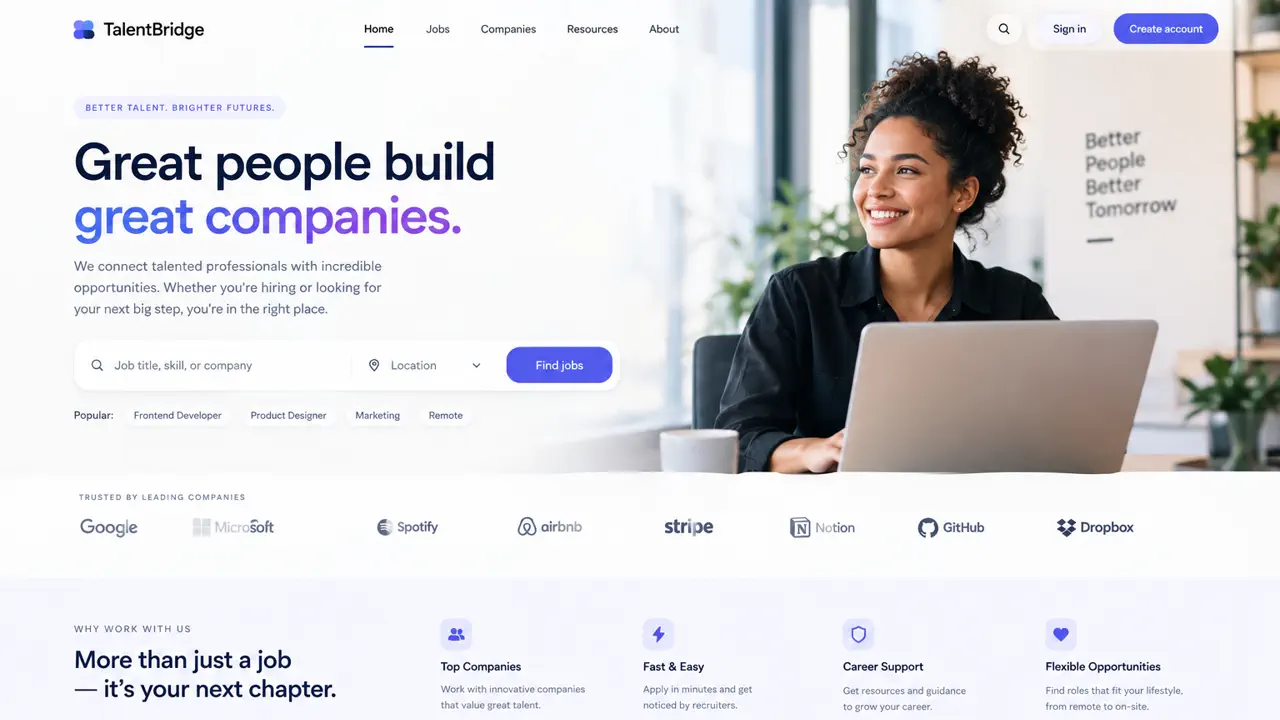
Share a role or an offer as one link.
Recruiting & HR
Send a job page, a hiring pack, or an onboarding guide that looks the part, with no shared drive.
- Job page
- Hiring pack
- Offer
- Onboarding
No card required
What the free plan includes
The free plan can host one public role page, hiring pack or general onboarding resource without a card.
- 1 live site on a real free plan, not a trial of a paid one, and no card to start.
- Up to 25 MB per upload and 25 MB of storage across the account.
- 5,000 visits and 5 GB of traffic a month.
- HTTPS with a real certificate, issued and renewed for you.
- Up to 15 publishes a day, so you can iterate without asking permission.
- The deploy-time security check, which reads what you published and warns about a stray .env file, a .git folder, a private key or an API key left in your JavaScript.
- A small Droply badge in the corner of the page. Removing it starts on Starter.
- Free sites are served noindex, so search engines do not list them. Search visibility starts on Starter.
- The address remains stable while role details, interview instructions or onboarding links are corrected.
A browser link or an email attachment
Use an attachment when the file itself is the handoff
Email is the right place for a formal file that belongs in one named conversation. A hosted page is the better reference for candidate-facing information that changes, gets forwarded or needs to open the same way outside that thread.
| Droply | Email attachment | |
|---|---|---|
| Candidate experience | The address opens the page or document in a browser. | The file remains attached to a message and may open in a mail or document viewer. |
| Correction after sending | Re-publish at the same address. | Send a follow-up attachment and identify the current version. |
| Forwarding | The forwarded URL still points to the current deployment. | The forwarded message carries the version that was attached at that time. |
| Size | The upload limit comes from the plan; free is 25 MB. | Personal Gmail accounts allow 25 MB total before replacing the attachment with a Drive link. |
| Access gate | Password protection starts on Starter; expiry starts on Starter. | Access follows the message and mail provider; it is not a shared site password. |
| Best fit | General candidate information and resources that need a current reference link. | A formal or editable file sent to one named recipient and kept in the message record. |
Email rows checked 8 September 2026 against Google's Gmail attachment guide, which documents the 25 MB personal-account limit and Drive-link fallback. Mail-provider limits differ and can change.
When Droply is the wrong choice
Keep systems of record and sensitive employment material in the approved recruiting and HR tools. Static hosting is for presentation and distribution of approved files, not for collecting or governing candidate data.
- You need an application form, interview scorecards, candidate status, consent records or automated recruiting workflows. Use the ATS.
- The file contains identification, bank details, health information, background checks or confidential personnel records. Use the authorized secure system.
- Several people need to edit and comment on the source document. Keep it in the collaboration tool and publish only the approved candidate-facing version.
- You need a database, a login system, or code that runs on the server. Droply serves files; it does not execute your application.
- You want a build to run on every push to a repository. Droply has no Git integration and no CI: you build locally and upload the result.
- You are running WordPress or another PHP application. A static export of it can be hosted here, but the application itself cannot.