Event pages have a brutal deadline: the event itself. Whether it's a meetup, a launch party, a workshop, or a conference, the page needs to be live well before invites go out, and it needs to keep working under traffic spikes, on phones, and at the venue's spotty Wi-Fi. Most of the standard hosting options are overbuilt for this job. Here's the fastest path that still produces a real, professional result.
What an event page actually needs
Strip it back to what matters:
- A clean, fast-loading landing page with the date, location, agenda, and an RSVP or ticket link.
- An HTTPS URL you can share in emails, on social, and in printed materials.
- The ability to fix typos or update times without redeploying anything.
- Reliable uptime through the days leading up to the event.
It does not need a database, a CMS, a build pipeline, or a Node server. An event page is static content. Treat it that way and the work shrinks dramatically.
The usual options, and where they slow you down
Hand-rolled hosting on a VPS
You spin up a server, install Nginx, configure TLS, point DNS, upload files over SSH. This works, but you've now signed up to babysit a server until the event is over. For a one-off page, that's a poor trade.
A full CMS like WordPress
Overkill. You're installing a database and an admin panel to render a single page. You also inherit a patching obligation and a plugin ecosystem you don't need.
A static site generator on a git-based host
This is the modern default, and it's solid for ongoing projects. But for an event page you're setting up a repo, a build config, environment variables, and a deploy pipeline, to ship a page you already have as HTML. The first deploy can easily eat an afternoon.
Google Docs or a Notion page
Fast to make, but the URL looks like a Google Doc or Notion page. Not the impression most events want, and custom branding is limited.
The fast path with Droply
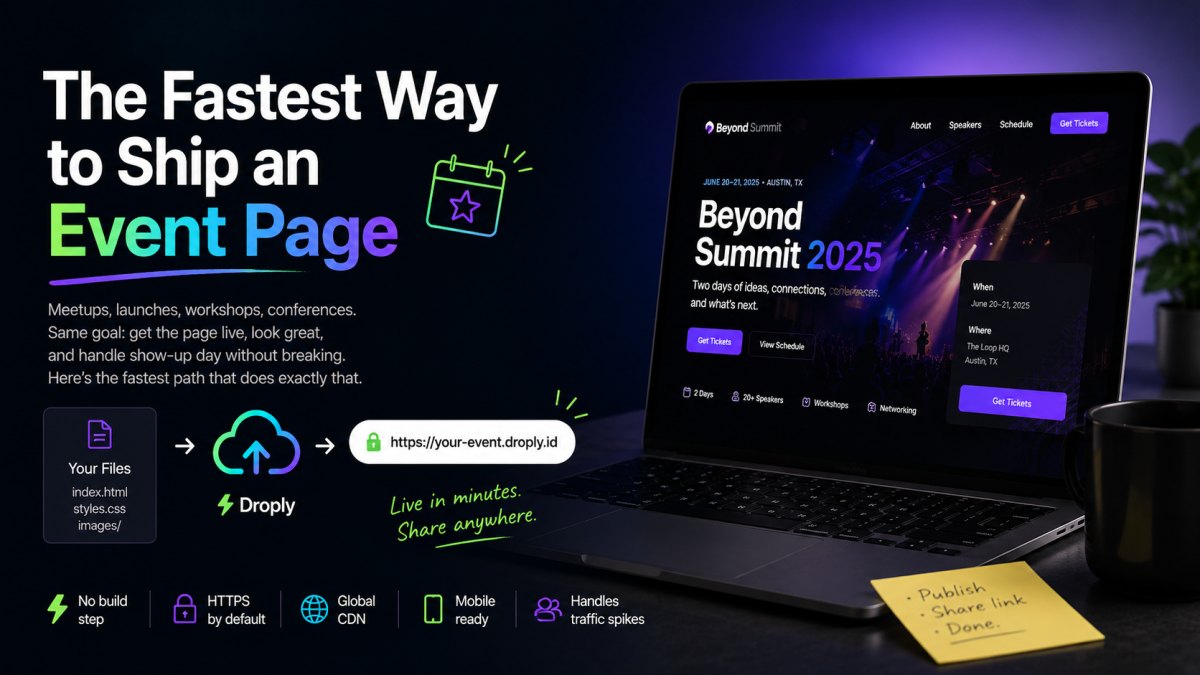
Droply is a no-code static-site and file host. You drag an HTML file, a ZIP of a static site, or a PDF, pick a name, and get a live HTTPS URL in seconds. There's no git, no build step, and no server config. That's the whole interaction.
Here's how to use it for an event page.
Step 1: Prepare your files
You have a few good options depending on how you build:
- Single HTML file. If your event page is a one-pager, export or save it as a single
index.htmlwith inline or linked CSS. This is the simplest case. - ZIP of a static site. If you used a builder, framework, or just a folder with
index.html, images, and CSS, zip the contents (not the parent folder, make sureindex.htmlis at the root of the zip). - PDF. If your "event page" is really a printable schedule or invitation, a PDF works too. Droply will serve it at a clean URL.
Droply hosts pre-built output. It doesn't run builds or server-side code, so make sure whatever you upload is the finished, ready-to-view version.
Step 2: Upload and name it
Open Droply, drag your file or ZIP onto the page, and pick a name. That name becomes part of your URL, for example, springsummit.droply.id. Choose something short and memorable; you'll be putting it in emails and on slides.
Within seconds, the page is live over HTTPS. No certificate to configure, no propagation wait.
Step 3: Share the link
Drop the URL into your invite emails, social posts, calendar entries, and printed materials. It's a real HTTPS link, so it previews properly in messaging apps and won't get flagged as suspicious.
Step 4: Update in place when things change
Event details shift. Speakers drop out, rooms get reassigned, times move. With Droply, re-uploading replaces the content in place and the URL never changes. That's the key property for an event page: the link you sent two weeks ago still works, and now shows the latest information.
You don't have to coordinate a redeploy or worry about cache busting at the platform level. Upload the new files, refresh the page, done.
A realistic timeline
For a designer or developer who already has an HTML page or ZIP ready:
- Upload and name: under a minute.
- Share the URL: as fast as you can paste it.
- Total time from "I have files" to "the page is live and shareable": typically under five minutes.
Compare that to setting up a git repo, configuring a host, wiring DNS, and waiting on the first build. The difference isn't marginal.
When to add a custom domain
Subdomains like yourevent.droply.id are perfectly fine for internal events, community meetups, and anything where the audience trusts the sender. For a public-facing launch or a paid conference, you'll likely want your own domain, something like events.yourcompany.com or yourevent.com.
Custom domains and removing the "powered by" banner are available on paid plans. See pricing for details. The upgrade path is straightforward: ship the page first, point a domain at it when you're ready.
Practical tips for the page itself
A few things that make event pages punch above their weight:
- Put the essentials above the fold. Name, date, location, and a single primary call to action (RSVP, buy ticket, register). Everything else can scroll.
- Use a clear time zone. "7pm" is ambiguous. "7pm PT / 10pm ET" is not.
- Add a calendar link. A simple
.icsfile or "Add to Calendar" link reduces no-shows. You can host the.icson Droply too. - Optimize images. Compress hero images and speaker photos. Slow event pages bleed registrations on mobile.
- Test on a phone. Most invitees will click the link on their phone first. Make sure the layout, fonts, and CTA all work in that context.
- Plan for a last-minute update. Know who has the files and who can re-upload, especially in the 24 hours before the event.
Why this approach holds up
The reason this workflow is fast isn't a trick, it's that an event page is fundamentally static, and Droply treats it that way. There's no build to invalidate, no server to misconfigure, no pipeline to debug at 11pm the night before doors open. You upload finished files, you get a URL, and you can swap the files when things change.
For a one-shot deliverable with a hard deadline, that's the right shape of tool. Save the heavier infrastructure for projects that actually need it.
Have your event page files ready? Drag them onto droply.host and you'll have a live link before you finish your coffee.