Recruiters open links. They skim, decide in seconds, and move on. A PDF attachment in an email gets buried; a Google Drive link asks them to sign in; a personal site takes a weekend to set up. None of that is a great use of your time when you just want a clean, professional URL to put on LinkedIn or send to a hiring manager.
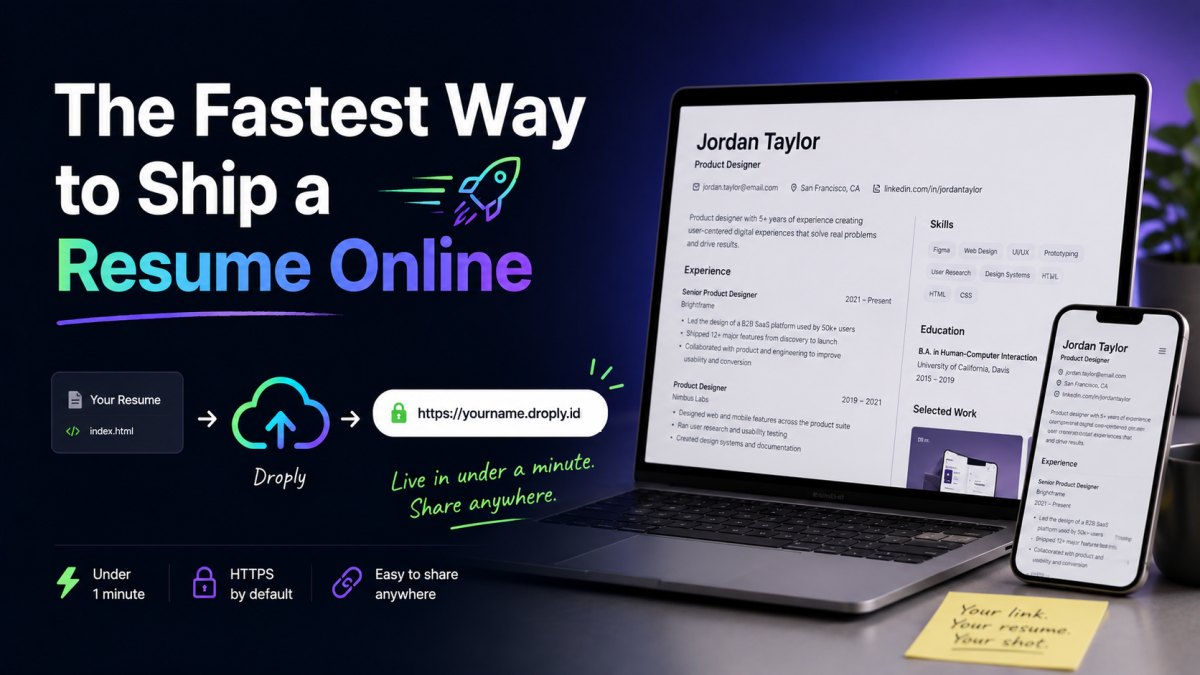
This guide shows the fastest path: drop your resume into Droply and get a live HTTPS link in under a minute. No git, no build step, no DNS configuration, no hosting account to manage.
What you actually need
Before getting into tools, get clear on the goal. A shareable resume usually needs to:
- Open instantly in any browser, on any device
- Live at a clean URL you can recite over the phone
- Be easy to update without changing the link
- Look identical to whoever opens it
- Work without a login wall
That's it. You don't need a CMS, a build pipeline, or a custom theme. You need a file and a URL.
The fastest path: a PDF on Droply
If your resume already exists as a PDF, you're 30 seconds away from a live link.
Step 1: Export a clean PDF
From Word, Google Docs, Pages, or Figma, export your resume as a PDF. Keep it to one or two pages. Name the file something predictable, jane-doe-resume.pdf is fine. The filename won't be in your URL, but it's the name the recipient sees if they download it.
Step 2: Drag it into Droply
Open droply.host, drag the PDF onto the upload area, and pick a name. Whatever you choose becomes your subdomain. If you pick janedoe, your live link is janedoe.droply.id. Short, memorable, and works the same on every device.
Step 3: Share the link
That's the whole flow. The URL is live over HTTPS immediately. You can paste it into your LinkedIn "Contact info" section, your email signature, a cold outreach message, or a job application form.
If you later tweak the resume, add a new role, fix a typo, swap in a stronger summary, re-upload the new file with the same name. The content updates in place; the URL stays the same. Anyone who bookmarked it still sees the latest version.
Going one step further: a one-page HTML resume
A PDF is fine. An HTML page is better if you want:
- Faster loading, especially on mobile
- Native dark mode support
- Selectable, copyable text by default
- Better SEO if someone searches your name
- A "View resume" experience that doesn't trigger a download
You don't need a framework for this. A single index.html file with some basic CSS is enough. If you already have a static resume template, from a tool like a static site generator, a Figma export, or a downloaded theme, you can publish it as-is.
Step 1: Build (or borrow) a single HTML file
Either write it by hand or export it from your tool of choice. Keep everything in one folder: the HTML, any CSS, and any images. Make sure the main file is named index.html so it loads at the root of your URL.
Step 2: Zip the folder
Select the contents of the folder (not the folder itself) and create a ZIP archive. You want index.html at the top level inside the ZIP, not nested under a subdirectory.
Step 3: Upload the ZIP to Droply
Drag the ZIP onto Droply, pick a name, and you're done. Droply unpacks it and serves the site at <name>.droply.id over HTTPS. No build runs, your pre-built files are hosted exactly as you wrote them.
Step 4: Update without breaking links
Polishing the design later? Re-zip and re-upload with the same name. The URL doesn't change, so the link you already put on your resume header or LinkedIn keeps working.
Why this beats the usual options
There are plenty of ways to put a resume online. Most of them have a hidden cost.
Versus emailing a PDF attachment
Attachments get lost in threads, hit size limits on some corporate mail servers, and can't be updated after sending. A link is forwardable, always current, and the recipient can open it on their phone without downloading anything.
Versus Google Drive or Dropbox links
These work, but the URLs are long, ugly, and clearly "a file in someone's cloud drive." Some recipients will hit a sign-in wall or a preview viewer that mangles formatting. A clean yourname.droply.id reads as a deliberate, professional choice.
Versus a full personal site
Building a personal site with Next.js, Astro, or Hugo is a great project, but it's a project. You'll spend a day on the framework, another on hosting and DNS, and the resume itself becomes one of several things you're maintaining. If your goal this week is to apply to twenty jobs, that's the wrong order of operations. Ship the resume now; build the site later.
Versus LinkedIn as the "link"
LinkedIn is a profile, not a resume. It's noisy, hard to format, and you don't control the layout. A short URL to a focused one-pager respects the reader's time and shows you can make a deliberate choice.
Versus traditional static hosts
You can absolutely host a resume on the larger static-site platforms. They're powerful, and they're designed for full projects connected to git repositories, with build pipelines and preview deploys. For a one-page resume, that's a lot of machinery to learn. Droply skips git and builds entirely: you drag a file, you get a URL.
A few practical tips
- Pick a name you can say out loud.
janedoeorjane-doeis easier to dictate thanjd-resume-2024-final-v3. - Put the URL on the resume itself. If a recruiter prints it or screenshots it, the link is still discoverable.
- Use the same name everywhere. Your live URL, your email signature, and your LinkedIn contact info should all point to the same place.
- Update in place, not by uploading new versions. Re-uploading under the same name means every recruiter you've already messaged sees the latest version automatically.
- If you want a custom domain like
resume.yourname.com, paid plans support that and also remove the default Droply banner. See /#pricing for details.
The summary
Open Droply. Drag your PDF or zipped HTML. Pick a name. Share the link. Three minutes, no infrastructure, and a URL you can keep using for the next job hunt, the one after that, and the speaking gig you'll get because of them.
Ship the link today. Build the rest of your personal site whenever you feel like it.