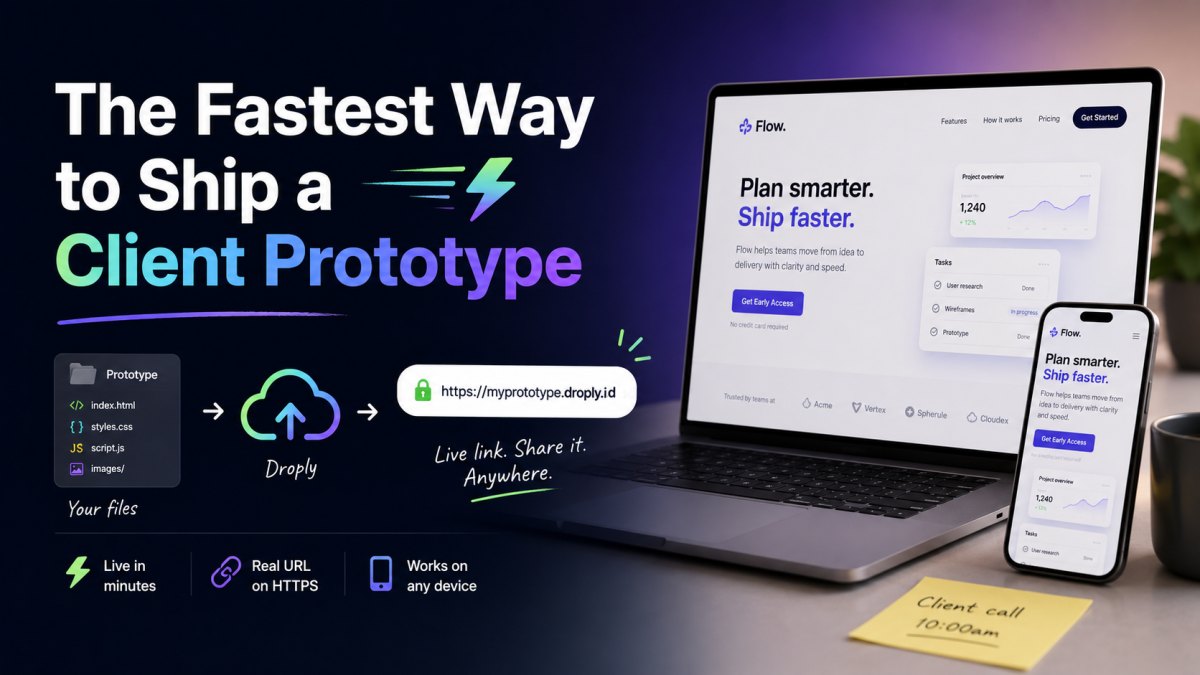
You finished the prototype an hour before the client call. The files are sitting in a folder on your desktop. Now you need a link, something real, something they can open on their phone, something that doesn't look like a screenshot or a localhost URL.
This guide walks through the fastest path from files to a live URL using Droply, and explains why this beats the usual options when the goal is just to get the prototype in front of someone today.
What "shipping a prototype" actually requires
For a client preview, you need four things:
- A public HTTPS URL that works on any device
- A name the client can remember (or at least one you can paste without embarrassment)
- The ability to update the preview without breaking the link
- Setup that takes minutes, not hours
You do not need a CI pipeline, a custom domain, a CDN config, or a team workspace. Those things matter for production. They are friction for a prototype.
The Droply flow, end to end
1. Get your output into a single folder or ZIP
Whatever tool you used, Figma export, Webflow export, Framer export, a hand-coded HTML/CSS/JS site, a static export from Next.js or Astro, a Tailwind landing page, the deliverable is a folder of static files with an index.html at the root.
If you have a folder, zip it. If you already have a single HTML file (a one-page prototype, a slide deck, a styled report), you can upload that file directly. PDFs work too, which is useful when the deliverable is a deck or a spec.
Quick checklist before you upload:
index.htmlis at the top level of the ZIP, not nested inside another folder- Asset paths are relative (
./images/logo.png, not/Users/you/project/images/logo.png) - Any API calls go to public endpoints, since there is no server-side code running
2. Drag, name, done
Open droply.host, drag the file or ZIP onto the page, and pick a name. The name becomes the subdomain, for example, acme-redesign-v2.droply.id.
A few seconds later you have a live HTTPS URL. That is the link you send the client.
3. Iterate without breaking the link
When the client sends feedback at 9pm, you make the changes, re-export, and re-upload to the same name. The content is replaced in place. The URL does not change. The client refreshes the tab they already had open and sees the new version.
This is the part that matters most for prototypes. You are not managing versions, branches, or deploy previews. You are overwriting the preview, the same way you would overwrite a Figma frame.
4. Optional: put it on your own domain
If the client relationship calls for it, an agency presenting under their brand, a freelancer who wants preview.studioname.com, paid plans let you attach a custom domain and remove the Droply banner. See /#pricing.
For most one-off prototypes, the default .droply.id URL is fine. Clients care that the link works, not what it ends with.
Why this beats the usual options
vs. "I'll send you a ZIP"
ZIPs over email get blocked, unzip into the wrong folder, open in the wrong browser, or trigger a security warning. Half the time the client opens index.html from the filesystem and the assets break because of how browsers handle file:// URLs.
A live URL removes every one of those failure modes.
vs. Netlify or Vercel for a one-off preview
Netlify and Vercel are excellent for production sites tied to a git repo. For a single-shot client preview, they are heavier than the job requires: connect a repo, configure a build, wait for the build, share the preview URL.
If your prototype is already built, you have the static output in front of you, there is nothing to build. Droply skips straight to hosting. Drag the ZIP, get a URL.
vs. GitHub Pages
GitHub Pages works, but it assumes you want a repo, a branch, and a commit history for a throwaway prototype. It also gives you <username>.github.io/<repo>, which is fine for engineers and confusing for everyone else.
vs. ngrok or a local tunnel
Tunnels are great while you are actively coding. They are bad for client previews: the URL dies when your laptop sleeps, and the client opens the link three hours later to a dead tab.
vs. spinning up an S3 bucket
You can absolutely host a static site on S3 with CloudFront and a Route 53 record. You will also spend forty-five minutes on bucket policies, cache invalidation, and an ACM certificate that has to validate before HTTPS works. Worth it for production. Not worth it for a prototype.
A realistic timeline
Here is what the whole loop looks like for a typical freelance or agency prototype:
- 0:00, Export the prototype from your design or dev tool
- 0:15, Zip the output folder
- 0:30, Drag the ZIP onto droply.host, pick a name
- 0:45, Live HTTPS URL in hand
- 0:46, Paste into Slack, email, or your project tracker
When the client asks for a change later, the loop is shorter: re-export, re-upload, same URL.
Tips for prototype-quality previews
A few small things make client previews feel more polished:
- Use a descriptive name.
acme-homepage-v3reads better thantest123. The client sees the URL. - Test the mobile view before you send. Open the live link on your phone before the client does. This catches viewport meta tag issues and font loading problems.
- Include a favicon. A blank tab icon looks unfinished. A 32x32 PNG takes two minutes.
- Set
<title>. "Document" in the browser tab undercuts everything else. - If the prototype has multiple pages, link them. Clients will not guess URLs.
When Droply is not the right tool
To be straight about the boundaries: Droply hosts pre-built static output. It does not run server-side code, build steps, or backend logic. If your prototype needs a live database, server-rendered pages on each request, or a custom Node process, you want a different platform.
For everything else that ends as HTML, CSS, JS, and assets, which covers most prototypes, landing pages, design system docs, pitch sites, and client deliverables, the static path is faster and has fewer moving parts.
The point
A prototype is a conversation, not a product. The faster you can put a real URL in front of the client, the faster the conversation moves. Drag a file. Pick a name. Send the link. Iterate in place when feedback comes back.
That is the whole workflow. Try it at droply.host.